Skip to content
English

Hornetsecurity 365 Total Backup

Backup of Microsoft 365, in a console built to handle many customers at once.

Microsoft 365 backup — for those who run many customers

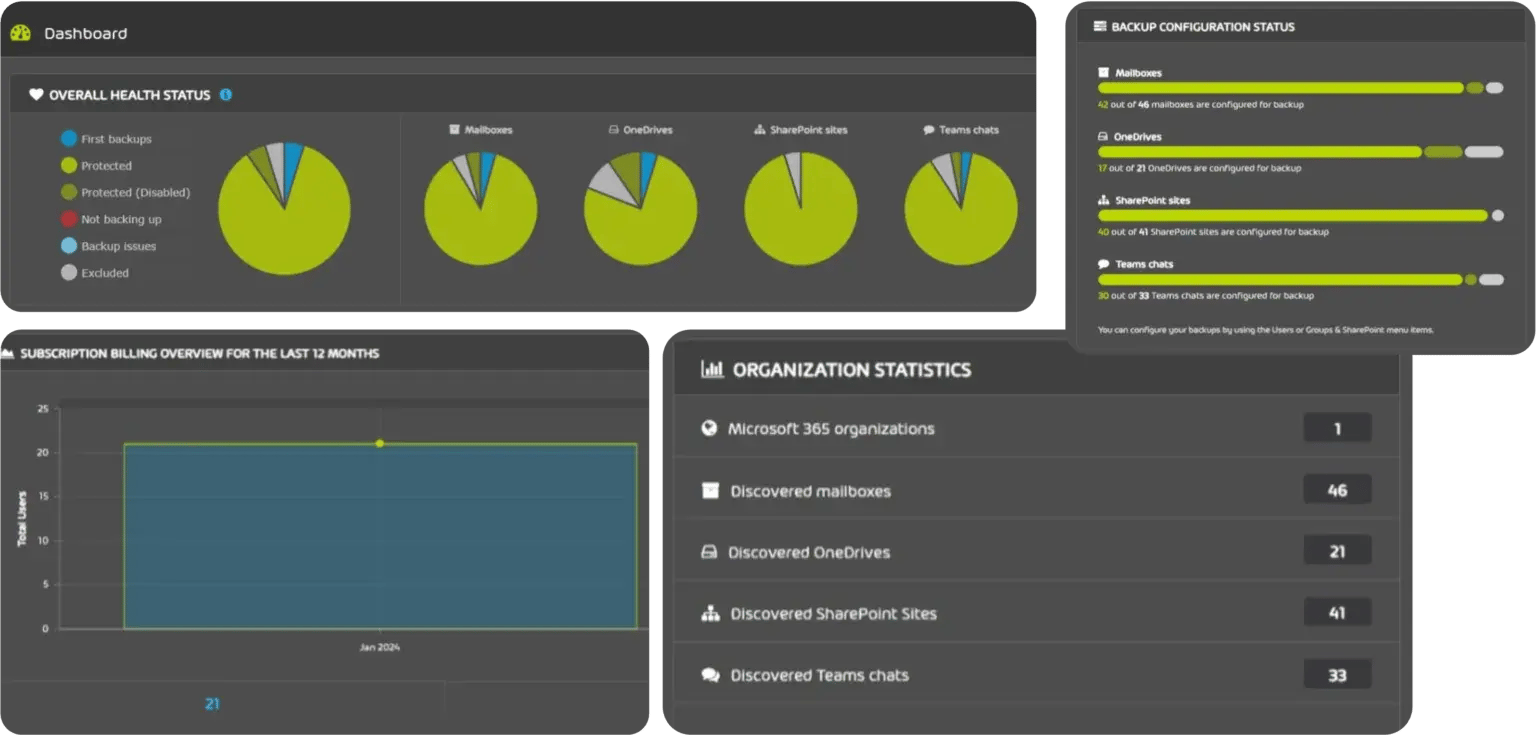
365 Total Backup backs up the content of Microsoft 365 and keeps the copies at Hornetsecurity — outside Microsoft’s platform. The console is multi-tenant from the ground up, so you manage every customer in one place instead of signing in customer by customer.

ARJ Distribution distributes Hornetsecurity in Sweden, Norway, Denmark, Finland and Iceland. We sell exclusively through resellers and managed service providers — never direct to end customers. This page is written for the partners who will sell and run the service.

365-Total-Backup-Dashboard-1536x735

What is protected

Mailboxes, Teams chats, OneDrive for Business, SharePoint document libraries, Planner and OneNote. Backups run automatically several times a day, without anyone having to start them.

You decide which users and which parts are covered when the customer is added, and you can change it later. New accounts in the customer’s tenant can be brought in automatically, so the backup does not fall behind as the customer grows.

Some of our partners

“ We found ARJ Distribution years ago when we couldn't find a suitable software partner in Finland.

We have been very satisfied with the cooperation from the beginning, especially with the technical expertise.

This is one of the reasons why we have been able to help our own customers quickly and expertly.“

TaaviSchönberg
Taavi Schönberg
Systemspecialist, TM-Tieto Oy
Icons_new_0124_ransomware_protection-647x432

Ransomware protection

The backups sit on Hornetsecurity infrastructure, separate from Microsoft, and cannot be altered or deleted from the outside. An attack on the customer’s Microsoft 365 environment therefore does not reach the backup as well.

Icons_new_0124_all_inclusive01-png

One all-inclusive fee

Licence, storage and support sit in the same fee. No separate storage cost that grows with the customer’s data, and no support contract to keep track of on the side.

Icons_new_0124_unlimited_storage_region-647x432

Storage in the region you choose

The storage is not something you have to size in advance — it scales to tens of thousands of users. You choose which region the customer’s data sits in, which turns the question of where data lives into one you can answer in a procurement.

Icons_new_0124_Experience-png

A managed service

The service is run by Hornetsecurity, and their team watches for failed backups and fixes them. In practice that means you do not have to build your own monitoring of whether the backup actually went through.

Features at a glance

Management and operations

  • Multi-tenant console. Every customer organisation in the same web console.
  • One view of the state of things. Backup and restore status, health, and recent restores in a single view. Notifications can be set for successful, failed or warning states, as email or as a daily digest.
  • Automatic runs. Microsoft 365 is backed up several times a day, with no schedule to keep track of.

Users and permissions

  • You choose what is included. Which users and which parts of Microsoft 365 are backed up is decided when the customer is added, and can be changed later.
  • New users are added automatically. Accounts created in the customer’s tenant can be brought into the backup without anyone having to remember to do it.
  • Changes in bulk. Enable or disable backup, and delete backup data, for many users in one operation.
  • Four eyes on the sensitive things. Actions such as deleting data or changing company settings can be made to require approval from a second administrator.
  • An audit trail. A log of who enabled or disabled backup, who browsed what, and which restores were requested. The log can be exported.

Security and recovery

  • Immutable copies. Backup data cannot be altered or deleted from the outside — only by administrator accounts inside 365 Total Backup itself.
  • Encryption. Each customer’s backup is encrypted with its own AES-256 key.
  • Versions. Any version of a file, conversation or mailbox that exists in the backup can be restored.
  • Granular recovery. Search reaches individual files in Planner, OneDrive and SharePoint, and the backup can be browsed with filters.
  • Your own retention periods. Retention can be set to the customer’s own policy, which is what is needed to answer requirements in frameworks such as ISO 27001 and the GDPR.

How you charge for it

365 Total Backup is licensed per user, and the fee covers licence, storage and support. That makes the calculation predictable: you know what the service costs per customer even as the customer’s data grows.

Talk to us before you quote. We are glad to work through the individual case, and we tell you when Hornetsecurity changes prices or terms.

What is needed from you — and what we do

Microsoft 365 backup is easy to get going and easy to forget about. What decides whether the customer ends up satisfied is not the installation, but that somebody actually checks that the backup goes through and that a restore has been tried before it is needed.

You need the customer’s consent to connect the service to the tenant, and a view of which users and which parts of Microsoft 365 are to be covered. The rest is mainly configuration in the console.

We do the walkthrough of the console with you, help set up the first customer, and sit in on the customer meeting if you want us to. We keep track of licences and renewals. And we never sell direct to your customer.

Endpoint backup is being retired on 1 March 2027

Hornetsecurity is discontinuing the backup of Windows endpoints. After 1 March 2027 it disappears from the Control Panel: the agents stop backing up, and nothing can be recovered any more. The manufacturer offers neither an export nor a migration path for the data held there, and new Endpoint Manager servers can no longer be added as of now.

The Microsoft 365 backup is not affected. That is what this page is about, and it carries on as before.

If you have customers using endpoint backup from Hornetsecurity, they need to be moved before that date — a restore needed afterwards will not be possible. Xopero ONE backs up Windows, macOS and Linux and is the route we can offer instead. Get in touch and we will help plan the move.

Frequently asked questions

Where is the backup stored?

At Hornetsecurity, in the region you choose, separate from Microsoft’s platform. That is one of the points: a disruption or an attack in the customer’s Microsoft 365 environment does not reach the copies.

What in Microsoft 365 is covered?

Mailboxes, Teams chats, OneDrive for Business, SharePoint document libraries, Planner and OneNote.

Does it back up Windows endpoints?

Not as a way forward. Hornetsecurity is retiring the endpoint backup on 1 March 2027, with no export and no migration path, and new Endpoint Manager servers can no longer be added. The Microsoft 365 backup is not affected. For endpoint backup we point to Xopero ONE.

How often does the backup run?

Microsoft 365 is backed up automatically several times a day. It is not something you have to schedule or watch.

Do we have to back up every user in the tenant?

No. You choose which users and which parts of Microsoft 365 are covered when the customer is added, and you can change it later.

How do we handle many customers in the same tool?

The console is multi-tenant. Every customer organisation sits in the same view, and permissions can be set so that sensitive actions require approval from a second administrator.

Is there an additional cost for storage?

No. Licence, storage and support sit in the same fee, and the storage scales without you having to size it in advance.

Can single files and emails be restored?

Yes. The backup is searchable and can be browsed, and any version held in the backup can be restored — down to a single file or a single email.

Which countries do you distribute Hornetsecurity in?

Sweden, Norway, Denmark, Finland and Iceland.

Does ARJ Distribution sell direct to end customers?

No. ARJ Distribution sells exclusively through resellers and managed service providers. We never take the deal past you.

Getting started

Two ways in, and neither of them asks you to have made up your mind.

A demo — a short meeting where we show the console and go through what it looks like when you manage several customers in it.

A trial account — the service connected to a tenant of your own, so you have time to run both a backup and a restore before you take it to a customer.

Say which one you want in the form below, and we will be in touch.

Book a demo or ask for a trial account

Write which of the two you want, and ideally something about the customer or the environment it concerns. Then we can prepare, instead of starting by asking.

Material from Hornetsecurity

The data sheets come from the manufacturer and can be passed on to a customer as they are.

365Total_Backup

365 Total Backup

Data sheet for 365 Total Backup: what is protected in Microsoft 365, how the endpoint backup works and how the console handles several customers.

Download data sheet
365_TP_Plan4_1080x1080_EN

365 Total Protection

Protection of the customer’s Microsoft 365 environment: spam and malware, advanced threat protection, archiving and encryption.

Download data sheet
365PM_1080x1080

365 Permission Manager

Keep track of who has access to what in Microsoft 365, see what is shared outside the organisation, and set policies you can follow up on.

Download data sheet

Ready to become a Hornetsecurity partner?

Sign up as a partner and we will help you get started with the Hornetsecurity products.